FAQ - Frequently Asked Questions

General questions
Merki.Net is the official distributor for the 3DS Capture Card! Therefore, we are happy to deliver our products to all regions of the world! The shipping costs to your location are indicated here or at the shop next to the products. To get your own console installed by us, you have to send in your console to our company, which is located in Germany. As payment methods, we offer you
 We do not offer payment by credit card (VISA, MasterCard, American Express, etc.) directly!
But via Wise.com., there you can deposit your credit card as a counter account, then immediately the amount will be charged to the credit account.
Installment payments are not possible with us!
We do not offer payment by credit card (VISA, MasterCard, American Express, etc.) directly!
But via Wise.com., there you can deposit your credit card as a counter account, then immediately the amount will be charged to the credit account.
Installment payments are not possible with us!This note should be in the package or stuck to your console.
This ensures we can get your system back to the right address, even if your address on the outside of the package is damaged from shipping or covered by paperwork taped to the outside by the shipping companies.
Do not send along your games, power supply, pen, original packaging and instructions. These things take up more space and increase weight, thus unnecessarily increasing shipping costs… The internal SD memory card can also be removed. Of course, it can also remain in the device, if you like. It is only necessary with hardware mods for the NAND Mod and RCM Mod. The console should be packed safely against falls and bruises. Therefore, we recommend wrapping the console with bubble wrap or foam and filling the package with crumpled newspaper - so that a buffer is created. For the return we provide the necessary packaging!
See further details about shipping a console to us at our shipping advices page.
Stefan Merki
Robert-Koch-Str. 5
52511 Geilenkirchen
Germany
E-Mail: Info@Merki.net
Telephone: +49 (0) 2451 71031
Questions about our products
3DS Capture Card
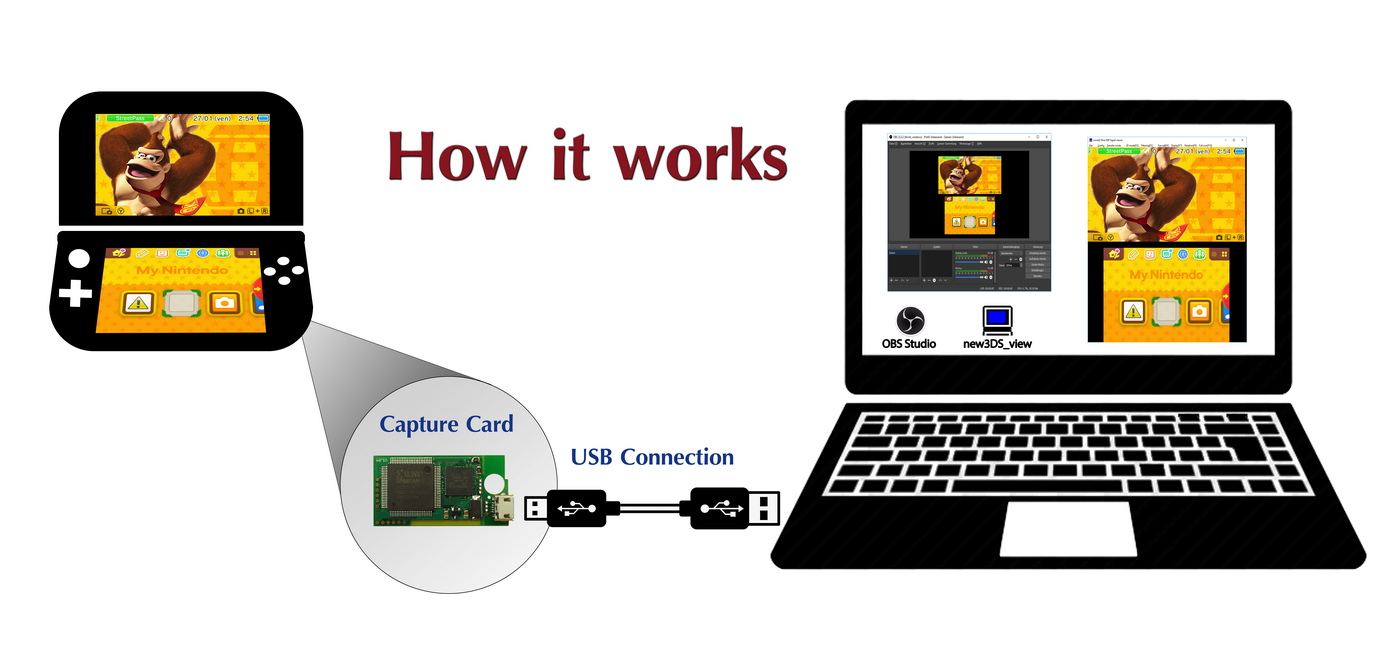 On our presentation page about the 3DS Capture Card you will learn more...

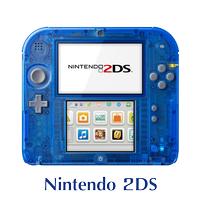

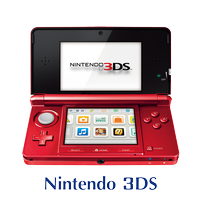

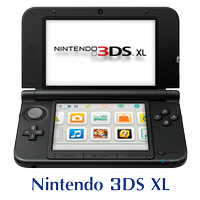

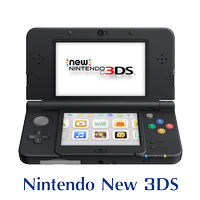

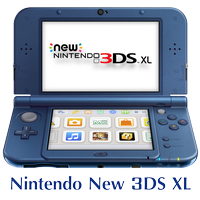

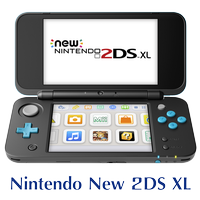

TV-Kit
The TV-Kit works ONLY for the latest (2nd generation) of Keity's Capture Card.
It does not work with the Classic DS and (Old) 2DS, (Old) 3DS and (Old) 3DS XL! The TV-Kit is designed to connect directly to a TV or projector - not to another Capture device such as Elgato or Avermedia. This function already has the 3DS Capture Card itself, that could be connected to a PC. The TV-Kit is pre-programmed and very easy to use, it's just plug and play! Here a quick guide: ◾ Waiting for Connection - The TV kit is waiting to be connected to a NEW 2DS XL / NEW 3DS / NEW 3DS XL console. ◾ NO SIGNAL -> The console is connected but not turned on or the screen display is closed ◾ Buttons description: P- Power -> hold down for 4 seconds to turn off the TV-KIT safely... M- Menu -> setup menu - short press -> display settings, additonal press accept settings and go to next Line S- Select -> - inside the menu - press it short -> toggles the settings - during display mode -> toggles through screen modes: • fullscreen 50:50 for both screens, • fullscreen top 75:25 bottom screen, • windowed mode 66:33 both screens, • fullscreen 100:0 for top scren only, E- Enter -> rotate display in 90 degrees clockwise ◾ Important note: Please always shut down the TV-Kit with the P button (Power). It is a mini PC and has an operating system on the SD card like your Desktop PC has. If you ignore this, the result would be a damaged or corrupted SD-Card! Also, the TV kit would take longer for the next boot because it would first have to fix the file system of the SD-Card. This could even lead to a start is no longer possible.Capture Card setup
◾ Windows platform:

The 3DS Capture Cards are very easy to recognize:
Products from Loopy (Neal Tew): • Classic DS – only Loopy • (old) 3DS – uses a micro USB plug - these were only sold until the end of 2016! • NEW 3DS XL – uses a USB C plug Products from Keity Co. Ltd. - Katsuki Toru (Katsukity): • (old) 2DS – 1st generation – (old device driver) • (old) 3DS – 1st generation– (old device driver) • (old) 3DS XL – 1st generation – (old device driver) • NEW 3DS – 2nd generation – (NEW device driver) • NEW 3DS XL – 2nd generation – (NEW device driver) • NEW 2DS XL – 2nd generation – (NEW device driver)Capture Card drivers:
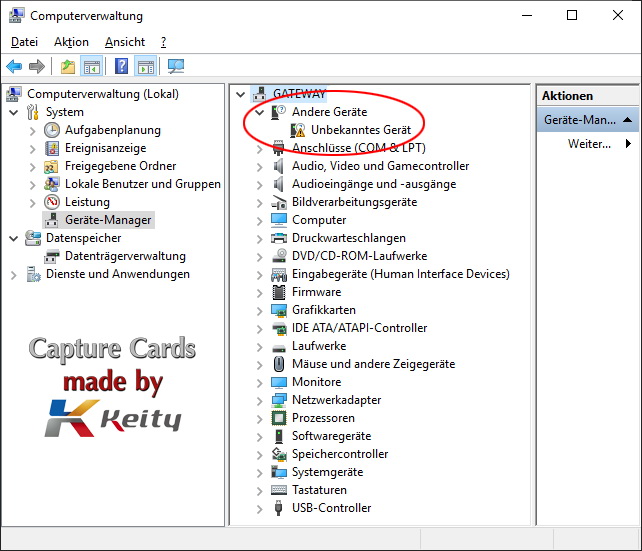 • After you have installed the driver (here on this page under Downloads), the new device appears for the respective generation:
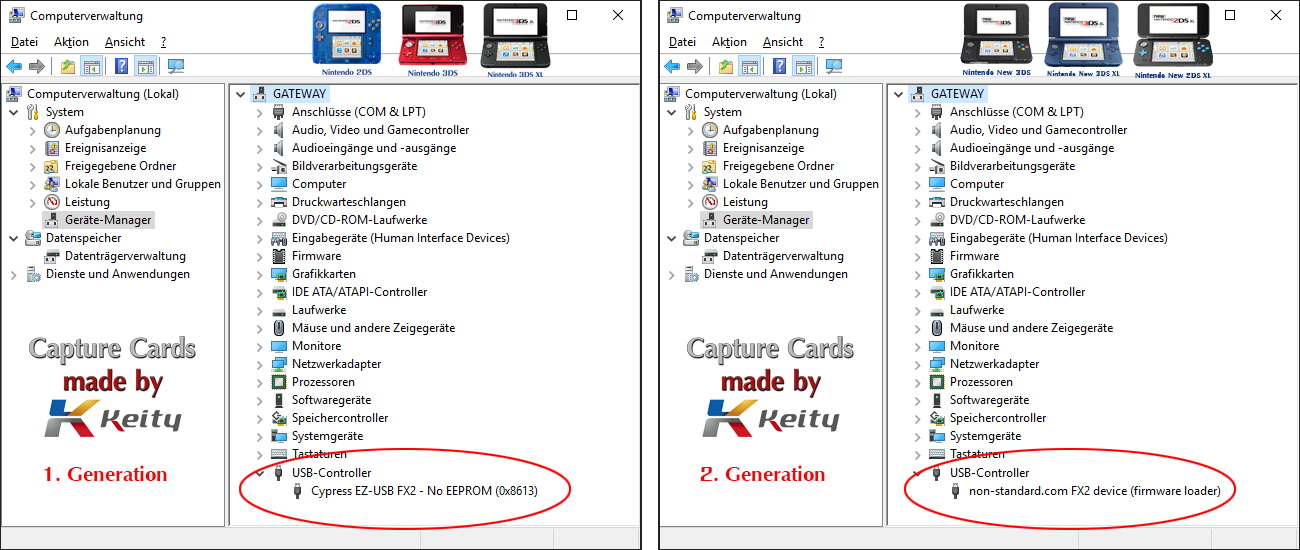 • After rebooting your system, it's time to start the nView software (included in the driver and software package) for the first time.
• Once Keity's n3DS_View software is started and the Capture Card is connected to your PC, the second part of the microcode is automatically loaded into the Capture Card's PRAM memory. The Capture Card immediately performs an internal reboot for itself.
That's why you hear the sound, that Windows makes, when a new USB device is connected.
This actually happened because the Capture Card in the Device Manager is now under a different name:
• After rebooting your system, it's time to start the nView software (included in the driver and software package) for the first time.
• Once Keity's n3DS_View software is started and the Capture Card is connected to your PC, the second part of the microcode is automatically loaded into the Capture Card's PRAM memory. The Capture Card immediately performs an internal reboot for itself.
That's why you hear the sound, that Windows makes, when a new USB device is connected.
This actually happened because the Capture Card in the Device Manager is now under a different name:
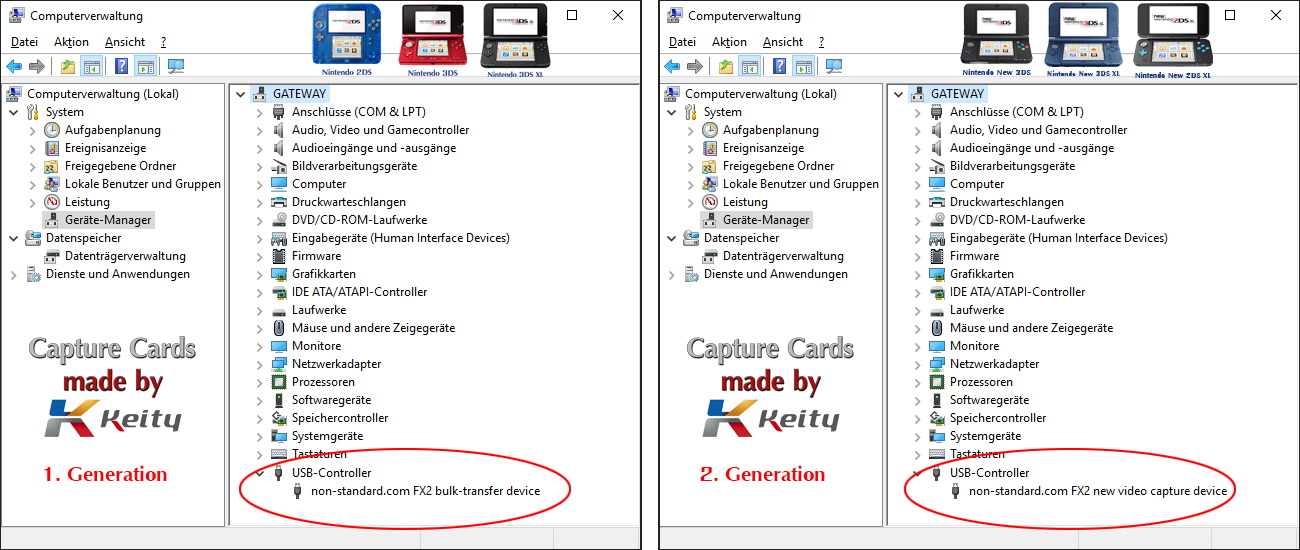 • This completes the driver installation and the capture card is ready for use!
Because this microcode is not permanently stored in an EEPROM, the information in RAM automatically erases - every time the capture card is disconnected from the PC.
The next time you connect, by uploading the code this simply turns a generic USB device in a Capture Card again.
Incidentally, this is also the reason why only one KEITY 3DS Capture Card can be connected simultaneously from the 1st or 2nd generation at the same time!
• This completes the driver installation and the capture card is ready for use!
Because this microcode is not permanently stored in an EEPROM, the information in RAM automatically erases - every time the capture card is disconnected from the PC.
The next time you connect, by uploading the code this simply turns a generic USB device in a Capture Card again.
Incidentally, this is also the reason why only one KEITY 3DS Capture Card can be connected simultaneously from the 1st or 2nd generation at the same time!
Capture Software - (streaming) client software for your desktop:
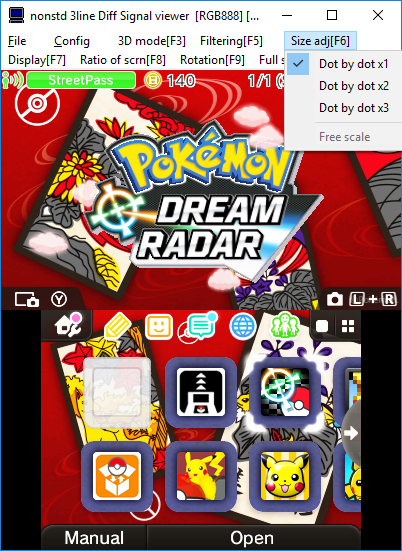
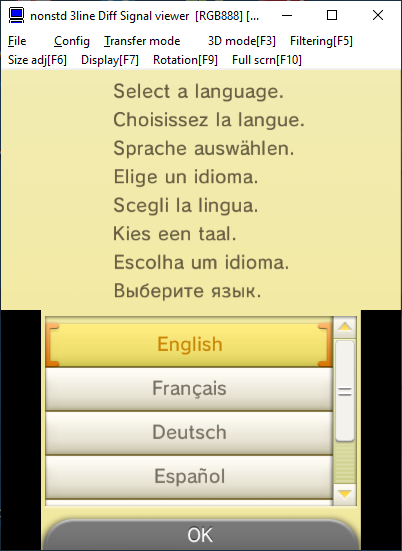 • The Capture Card software transmits 1: 1 the original resolution of the console - 400 × 240px (top) and 320 × 240px (bottom) to your PC desktop.
• This screen information is displayed in one or two scalable windows, and the in-game sound is played through your sound card using a stereo mix.
• The Capture Card software transmits 1: 1 the original resolution of the console - 400 × 240px (top) and 320 × 240px (bottom) to your PC desktop.
• This screen information is displayed in one or two scalable windows, and the in-game sound is played through your sound card using a stereo mix.
Attention on all old models:
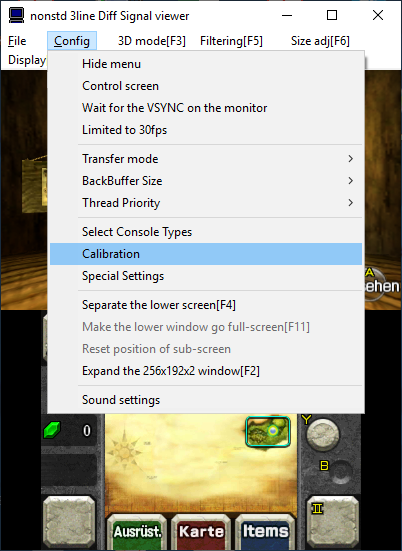
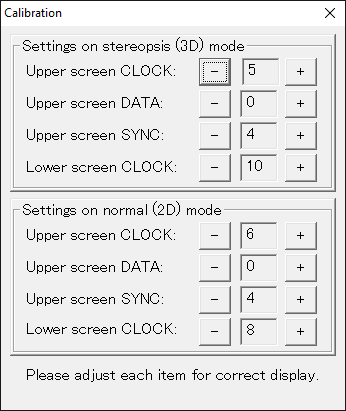
Audio settings:
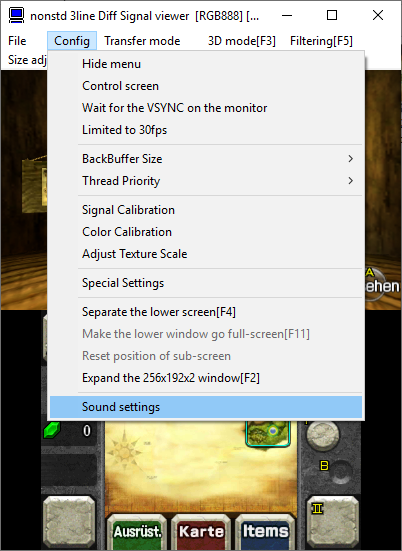
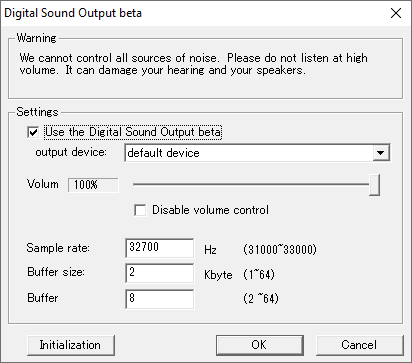
Overview
Capture Card drivers:
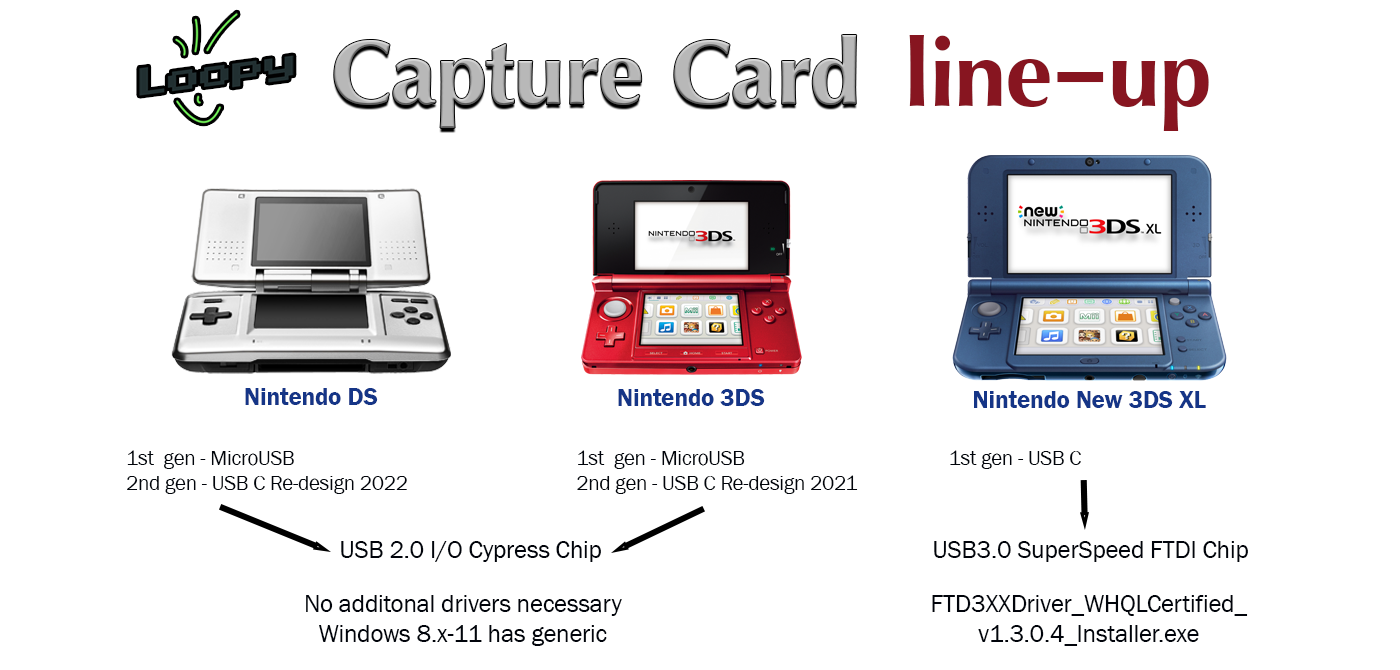
 Loopys Classic DS and (old) 3DS Capture Cards use a generic (universal) USB driver for connecting to Windows.
The newer operating systems like Windows 8.x, 10 and 11 already contain these generic drivers. For these models you don't require additional drivers.
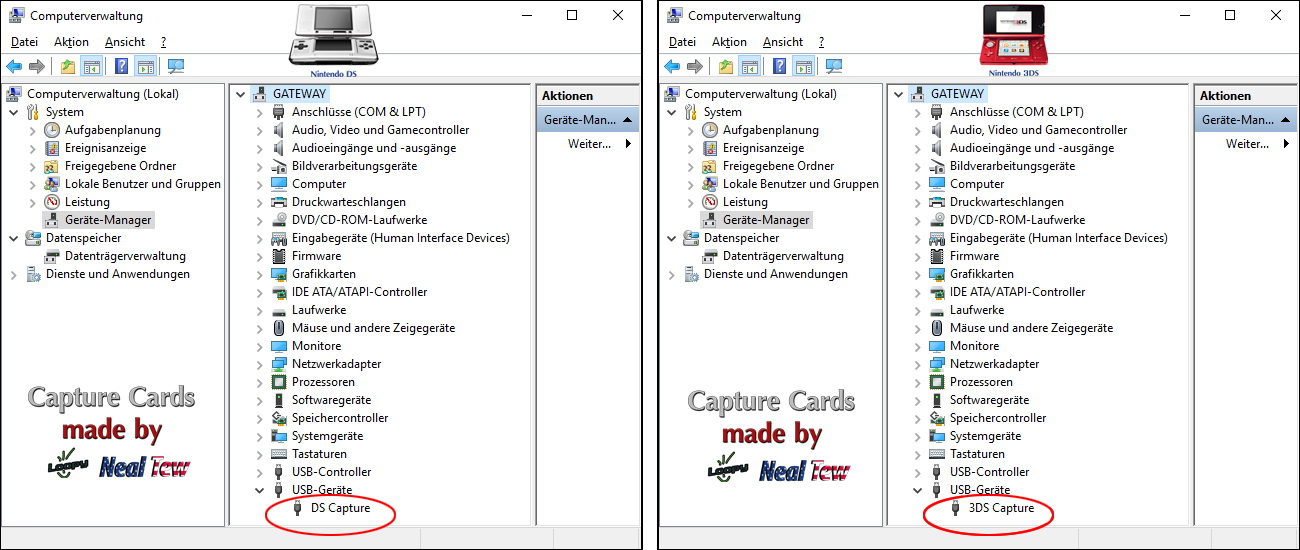
Therefore, the Capture Card is recognized as a generic USB device in Windows Device Manager.
We recommend that you install our drivers, then your Capture Card is also listed correctly as DS Capture or 3DS Capture under USB devices.
Loopys Classic DS and (old) 3DS Capture Cards use a generic (universal) USB driver for connecting to Windows.
The newer operating systems like Windows 8.x, 10 and 11 already contain these generic drivers. For these models you don't require additional drivers.
Therefore, the Capture Card is recognized as a generic USB device in Windows Device Manager.
We recommend that you install our drivers, then your Capture Card is also listed correctly as DS Capture or 3DS Capture under USB devices.
 Loopys latest Capture Card design for the NEW 3DS XL model has a USB3.0 SuperSpeed FTDI Chip and does need a driver to function.
You can download the driver together with the viewer software at our website under Downloads
The driver is located in the subfolder /support-files/FTD3XXDriver_WHQLCertified_v1.3.0.4_Installer.exe
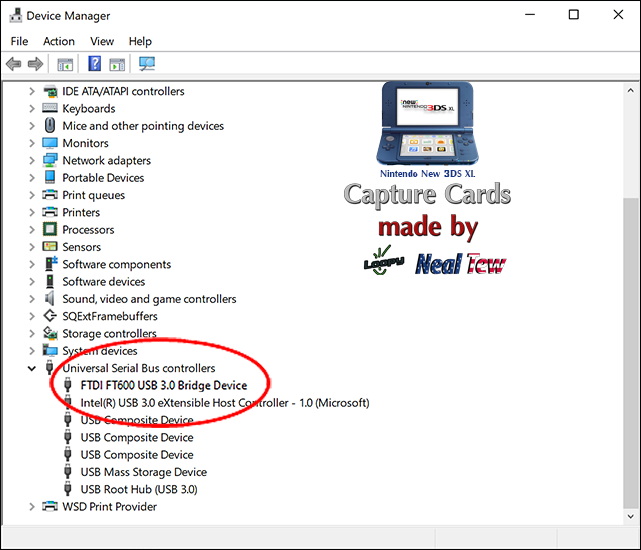
After succesful installation of the driver you will see an addtional USB device in the USB-Controller section:
Loopys latest Capture Card design for the NEW 3DS XL model has a USB3.0 SuperSpeed FTDI Chip and does need a driver to function.
You can download the driver together with the viewer software at our website under Downloads
The driver is located in the subfolder /support-files/FTD3XXDriver_WHQLCertified_v1.3.0.4_Installer.exe
After succesful installation of the driver you will see an addtional USB device in the USB-Controller section:
Capture software - (streaming client-software) for the Desktop:
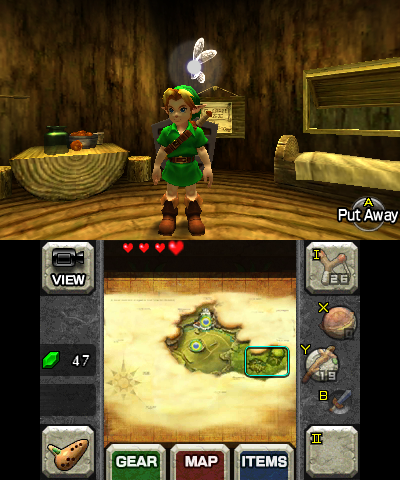
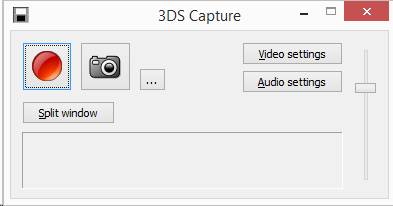 • The capture software transfers 1:1 the nativ/original resolution of the console - 400×240px (top) and 320×240px (bottom) to your PC.
• This screen content is displayed in one or two scalable windows.
• The in-game sound is transferred via USB (not available for Classic DS) to your soundcard using stereo mix.
• The capture software transfers 1:1 the nativ/original resolution of the console - 400×240px (top) and 320×240px (bottom) to your PC.
• This screen content is displayed in one or two scalable windows.
• The in-game sound is transferred via USB (not available for Classic DS) to your soundcard using stereo mix.
 • You can download Loopys viewer software (3ds_capture.exe) at our website under Downloads
◾ Optional features of 3DS Capture Software - Capture and Photo:
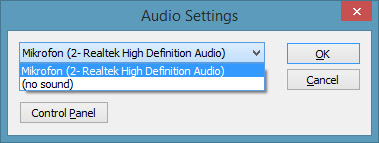
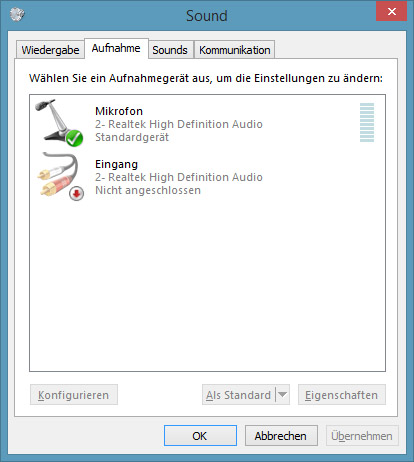
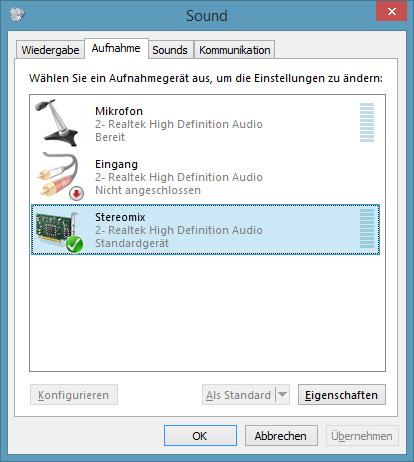
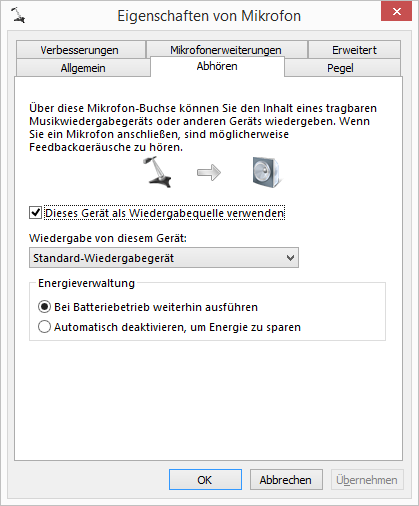
Set up audio transmission - “in-game sound”:
Here are the most frequently asked questions:
◾ You hear the “in-game sound” on your PC speakers, but it isn’t recorded when you record with the capture software?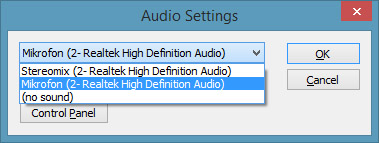 ◾ You don't have a stereo mix to choose from in the capture software?
Basic notes on settings in Loopy's software:
It is always the respective streaming client of Keity or Loopy needed - ie. their original software (n3DS_View.exe or 3dsCapture.exe) to transfer the screen content and the in-game sound to the PC!
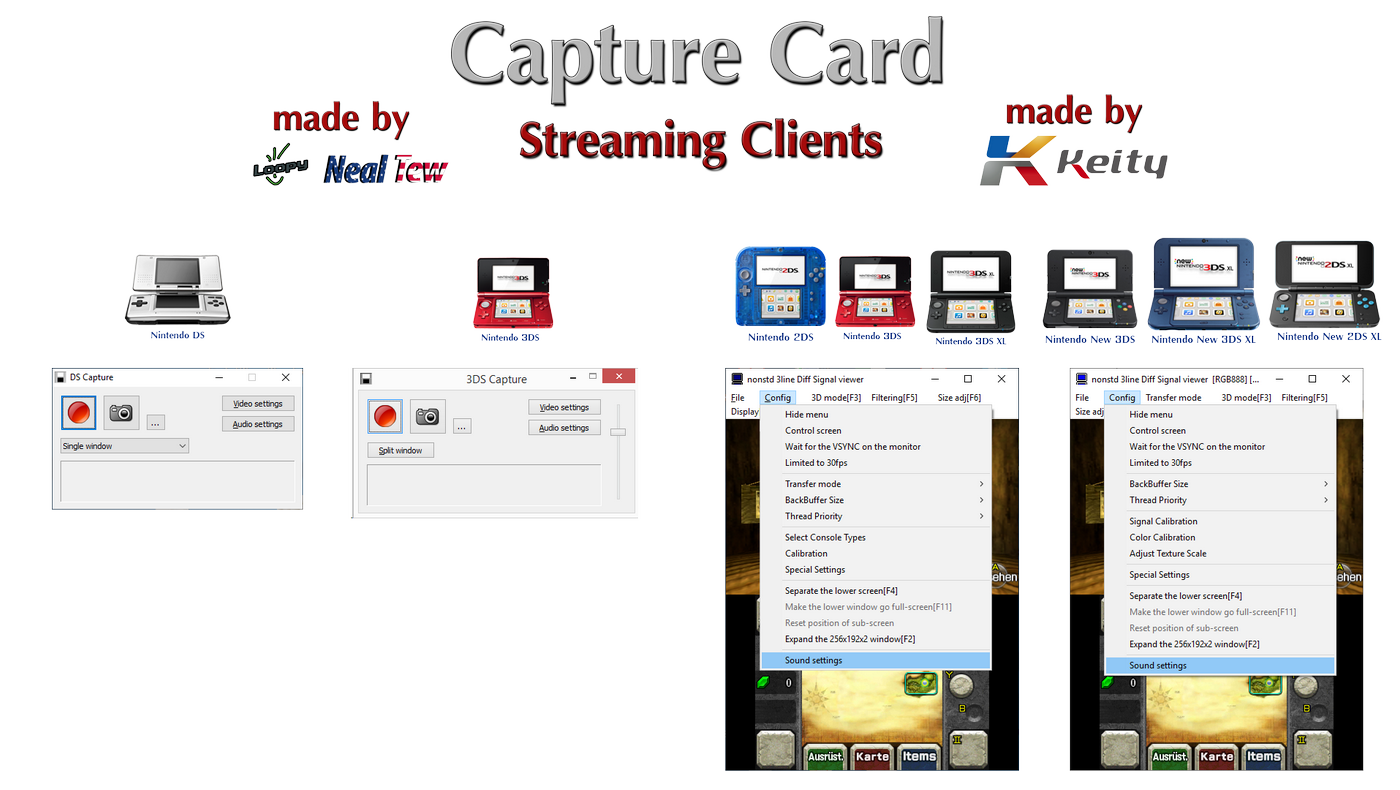
To record or stream you have several options:
Basic notes:
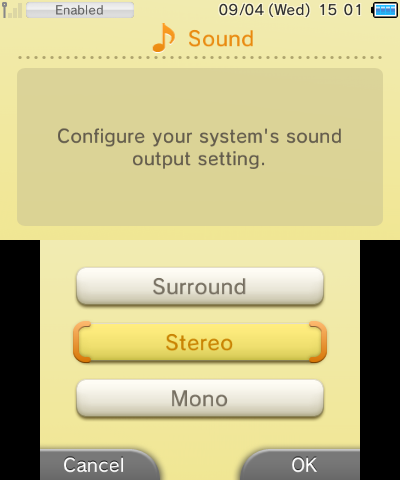

Here you can find the current software for displaying your Capture Card, the original manufacturer programs, TV-Kit files and additional support files.
Our recommended standard software is the cc3dsfs Capture Viewer by Lorenzooone. The software bundles the required universal drivers, supports many different Capture-Card models and is designed for Windows, macOS, Linux and Raspberry Pi.
The original programs from Loopy, Keity / Katsukity and Optimize remain available, so existing setups and manufacturer-specific functions can continue to be used.

Driver and Viewer Software
For Capture Cards from Loopy (3dscapture), Keity / Katsukity (Optimize) as well as other supported capture hardware.
The cc3dsfs Capture Viewer by Lorenzooone is the recommended software for daily use with supported Capture-Card setups. The software is cross-platform, open source and actively developed.
Loopy / 3dscapture
• Nintendo DS / Classic DS (FAT)
• Nintendo DSi New
• Nintendo DSi XL New
• Nintendo old 3DS (Original)
• Nintendo NEW 3DS XL
Keity / Katsukity / Optimize
• Nintendo (old) 2DS
• Nintendo (old) 3DS
• Nintendo (old) 3DS XL
• Nintendo NEW 3DS
• Nintendo NEW 3DS XL
• Nintendo NEW 2DS XL
• Optimize V2 New
Other supported capture hardware
• IS Nitro / IS TWL Capture
• Partner CTR Capture
• Nisetro DS(i)
Snapshot Version: Recommended for users with normal requirements. The Snapshot Version contains all essential adjustments and has been tested and approved.
Nightly Build: Recommended for users who want to use the latest improvements and freshly integrated functions. This version can however be unstable.
GitHub Version: Recommended for users who expect a maximum stable version, however without driver adjustments or support for the newest hardware.
Driver and viewer (capture) software
For products by Keity Co. Ltd. (Katsukity):
◾ (old) 2DS
◾ (old) 3DS
◾ (old) 3DS XL
◾ NEW 3DS
◾ NEW 3DS XL
◾ NEW 2DS XL
Important note about Keity / Optimize v3.21 & v13.20:
Version 3.21 & 13.20 works exclusively with Capture Hardware that has been switched to V2. This conversion is not a normal software update, but changes the configuration of the Capture Card itself. During this process, the existing Optimize firmware or EEPROM configuration is removed or disabled.
After the downgrade, Windows detects the hardware as Cypress FX2LP. The original Optimize detection is no longer available as before.
Lorenzooone has integrated a Downgrade to V2 function directly into cc3dsfs for everyone who explicitly wants to use this special path. Instead, for normal use we recommend the cc3dsfs Capture Viewer without this special path.
Note about Windows 11 24H2 and Keity / Optimize:
Windows 11 24H2 can block older Keity / Optimize drivers because of current driver signature requirements. Typical indications are Code 52 in Device Manager or Capture device not found in the old nViewer software. The Capture Hardware itself is not defective. For affected systems we recommend the cc3dsfs Capture Viewer, as the appropriate driver installation is already handled there.
Software to support the Capture Card
Only the first link is current state!

◾ DirectX 9 (June 2010)